
What happens when you record your equipment on Risk Memo
QR code tracking, image annotation, automated alerts and search tagging — what changes once your equipment inventory lives in Risk Memo.
Contents · 3 sections
Some pervasive challenges of traditional equipment management processes are felt by most adventure centre operators, ropes course trainers, and inspectors. As an operator myself, I was well aware of (and frustrated with!) these bottlenecks. Addressing them was the motivation behind Risk Memo. However, we wanted to go further still by designing capabilities that make equipment management more intuitive, efficient, and overall less making-you-want-to-pull-your-hair-out-ish.
The challenges and limitations of offline equipment management systems
Even for small adventure centre operators, pieces of equipment can easily run into the thousands. From experience, I know how cumbersome it can be to record it all: updating and following up on the safety status of each, documenting inspection checks, and planning for retirements.
Plus, there are some things you simply cannot do: add evidence images, quickly give feedback to a team member who’s spotted something on-site, or get a bird’s-eye view of the entire inventory.
How Risk Memo addresses the challenges of offline equipment management systems and brings additional capabilities
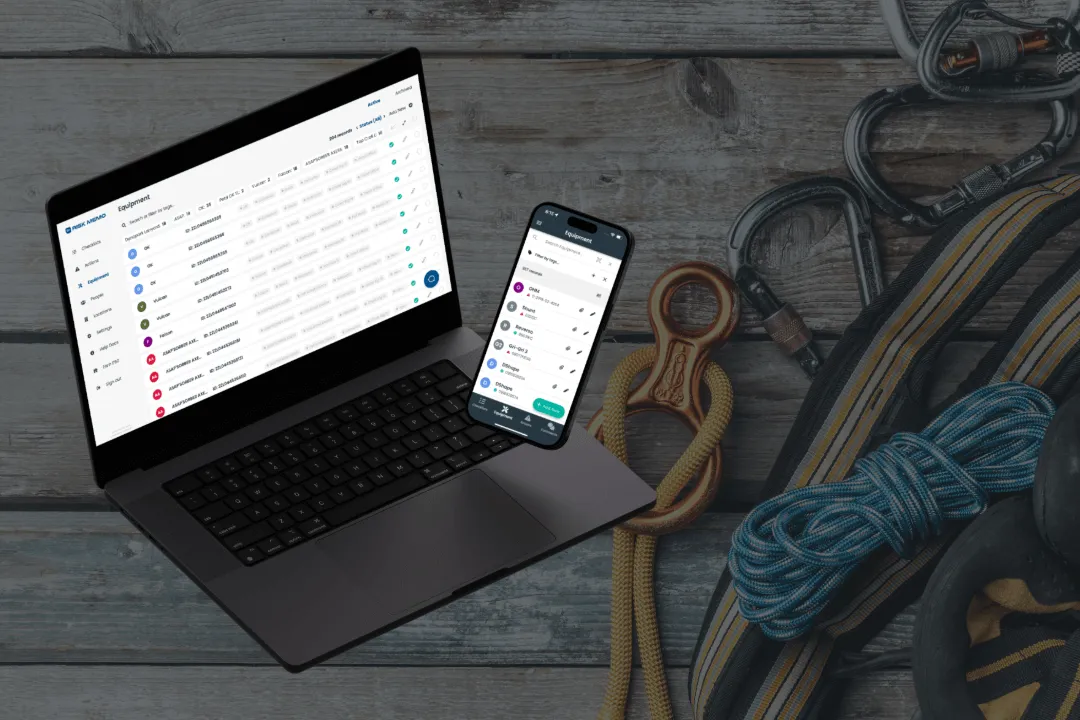
On Risk Memo, you can log any physical asset, from fire extinguishers, PPE, vehicles, and infrastructure. Each item is logged with a unique ID and can be located on the app by scanning a QR code. (We do the upload for you when you sign up.)
You can add and annotate images attached to equipment records. Our clients have found it useful in cases where the issue isn’t immediately obvious or difficult to describe. Image annotation, adding arrows pointing to a defect, for example, immediately solves this difficulty.
You may add as many relevant search tags as you want to each piece of equipment. For example, the tags to a harness could be ‘harness’, ‘Petzl’, and ‘in use’. Then, at any point, you can search for any combination of tags to find the relevant inventory. That’s a particularly useful and well-reviewed feature of the app, the Search Tag System.
Every equipment record also has a current status of “safe for use”, “time-critical issue”, “do not use”, “unchecked” or “missing”. In combination with search tags, this feature allows you to flick through the current status of any segment of your inventory.
The app sends out automatic alert notifications that help you track issues easily. When a flagged issue becomes critical or an item’s retirement date expires, we’ll send notifications and update the status. This is useful when you’re managing many pieces of equipment.
That’s not all.
When you convert your existing paper forms into digital checklists on Risk Memo, you can link one or multiple items of equipment to a checklist. You can also attach multiple checklists to a single item of equipment. This simple and flexible feature, which is unique to Risk Memo, allows every check to be recorded in the item’s history. This capability is not limited to equipment; one or multiple team members can be attached to HR, training, or assessment checklists, which will be attached to their profiles on Risk Memo.
The entire record-keeping process becomes frictionless because the app automatically logs every edit, status change, and checklist added to equipment or team member records so you know exactly what happened when and by whom.
Last but not least, the in-app chat feature allows you to discuss issues immediately and off the record. This is particularly useful if an employee has concerns but is unsure. With this feature, the employee can share messages, files, and images directly with their team to confirm that they’re making the right decisions.
Health and safety means streamlining operations and processes
Risk Memo not only automates record-keeping, but features such as the Search Tag System, equipment status, and automated safety alerts empower teams to allocate time and resources to what matters. In combination with capabilities like linking checklists to equipment and attaching and annotating on evidence images, these features have helped our customers manage tens of thousands of items of equipment and infrastructure.
No hair pulling reported!
I’d love to chat more about these and other features of the Risk Memo. Feel free to book a free demo call with me here or drop me an email at alistair@riskmemo.com.
Until next time,
Alistair
